Free
QR menu and ordering essentials.
$0.00/mo
Start free - QR menu, ordering & kitchen display
- Up to 1 location
- Up to 10 tables/rooms
- Up to 2 staff per venue
- Kitchen & receipt printing
- Payment recording
- Staff roles
Guests scan, order and ask for the bill from their own phone. Each table gets a short PIN from your staff, so orders only come from people who are actually there. Every order lands on the kitchen screen and on the bill.
 Harbor & Co.
Served 5 pm to 11 pm

Double smash, cheddar, house sauce
$12.00
San Marzano, fresh mozzarella, basil
$14.00
Double espresso, milk, a little ice
$5.00Built for the places that bring people together
Guests and staff work from the same order, so nothing gets typed twice or lost between the floor and the kitchen.
Edit a price, add a special or mark a dish sold out. The QR menu on every table updates straight away, with nothing to reprint.
Staff open the table and give guests a 4-digit PIN. Without it, a scanned QR code shows the menu but can’t place an order.
Orders go to the kitchen screen by station. When the table asks for the bill, it’s already added up with tax and service charge.
When a guest orders, the kitchen, the counter and their own phone all show it within seconds.
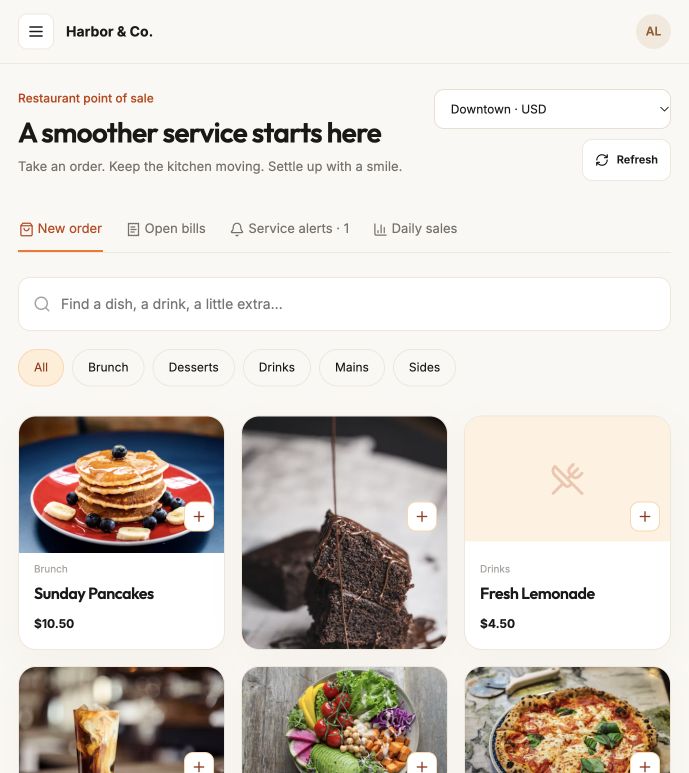
Take table, counter and takeaway orders from the same menu guests see. Open bills and calls from tables are one tab away.
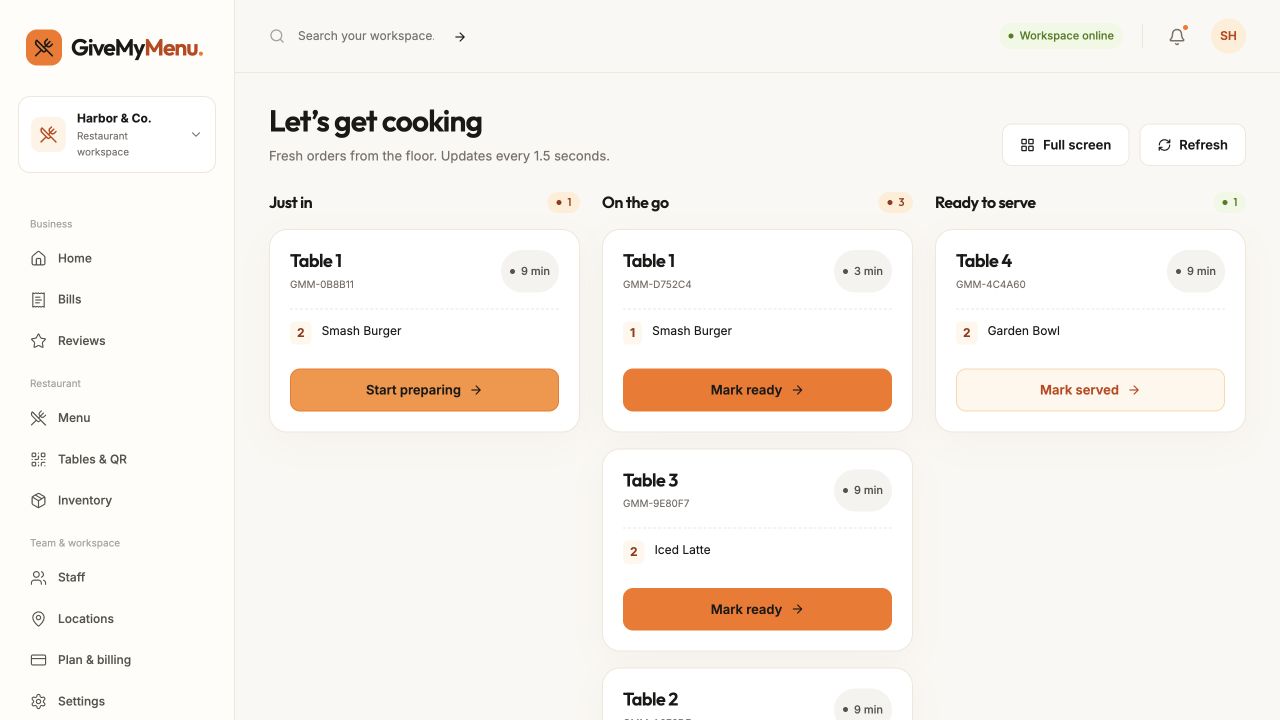
Tickets move from Just in to On the go to Ready to serve, with the table and how long each one has waited. It refreshes on its own.
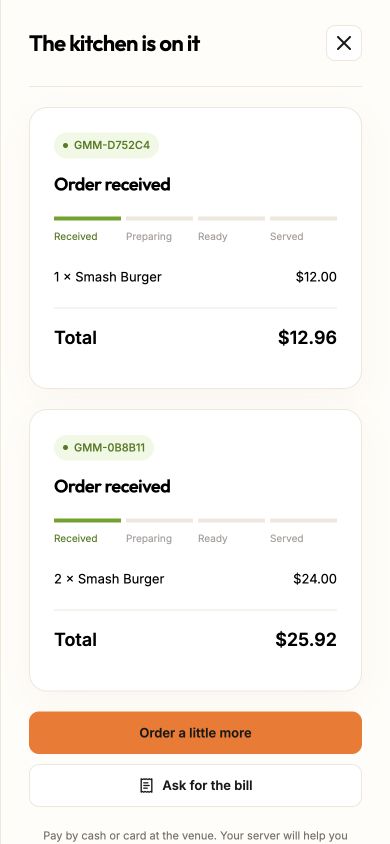
Guests follow each order and can ask for the bill from the table. No app to install, no account to create.
Table and room PINs
QR codes get photographed, shared in group chats and posted in reviews. On GiveMyMenu, scanning one only opens the menu. To order, a guest needs the table’s current PIN, which your staff give out when they seat people.
PINs are included from the Starter plan.
Start on the free plan. New accounts get 90 days of Pro features, and there’s no commission on your orders.
Tell us how you serve. We’ll find the lowest-priced plan that fits.
QR menu and ordering essentials.
PIN protection, printing and your own brand.
Restaurant operations, inventory and guest feedback.
Custom locations, staff and features for larger operations.
Something else on your mind?
A QR ordering, point of sale and kitchen system for restaurants, cafes and hotels. Guests scan a code at their table or room, order from their own phone, and the ticket lands on your kitchen screen and their bill — no app, no commission on your orders.
QR menus, table and room ordering, a point of sale, a live kitchen display, bills and payment recording, inventory, staff roles and reports, all from one dashboard. Table and room PINs, your own branding, inventory, detailed reports and guest reviews start on the Starter plan.
Yes, with no expiry date and no card. The Free plan includes QR menus, ordering, a point of sale, a kitchen display, kitchen and receipt printing, payment recording and staff roles for one location, with up to 10 tables or rooms and 2 staff accounts. Table and room PINs start with Starter.
Every page is served over HTTPS, passwords are stored with modern hashing, and guest ordering is protected by a table or room PIN that resets each time a session closes. Platform staff cannot see your account password, and changes in your dashboard are recorded in an audit log.
No download needed, for you or your guests. Guests order from their phone’s browser after scanning a QR code, and your own dashboard, POS and kitchen display work the same way on a phone, tablet or laptop — just open the site.
Yes. Your dashboard, live orders, kitchen display and reports are all in the browser, so you can check on service, prices or sales from anywhere with an internet connection.
Yes. The Free plan covers one location with no card required, and Nepal pricing is shown in NPR with eSewa and Khalti as payment options. It works the same for a single cafe counter or a boutique hotel’s room service.
Yes. Each room has its own QR code. Your front desk opens a session and shares a room PIN with the guest.
Guests can connect to your venue Wi-Fi, or a member of staff can take the order on the POS. No app download is needed.
Browser printing is available for receipts, kitchen tickets and QR stands. A dedicated thermal print bridge is planned for Epson, Star and compatible ESC/POS printers.
You can continue using your POS and record cash or card-terminal payments in GiveMyMenu. Direct POS synchronization is not currently included.
No. Guests scan your QR, choose their food, and enter the table PIN. No account or app required.
Its PIN and trusted guest sessions stop working immediately. The next guests get a new session and a new PIN.
Create an account with your email and a password — no card needed. You get 90 days of Pro features to try everything, starting when you add your first venue, then your restaurant stays on the Free plan unless you choose a paid one.
Create a free account, add a few dishes and print a single QR code. No card and no contract.