Menu in one place
Dishes, prices, photos, categories and options, shared by the counter, the QR menu and the kitchen. Mark a dish sold out once and it disappears everywhere.
GiveMyMenu is a restaurant management system that runs a shift from the first order to the last bill. The menu, the point of sale, QR table ordering, the kitchen display, bills, staff logins and stock share one record, so nothing is typed twice. It runs in the browser on the phones, tablets and laptops you already own. The Free plan covers one location with up to 10 tables and 2 staff logins, with no card and no end date.
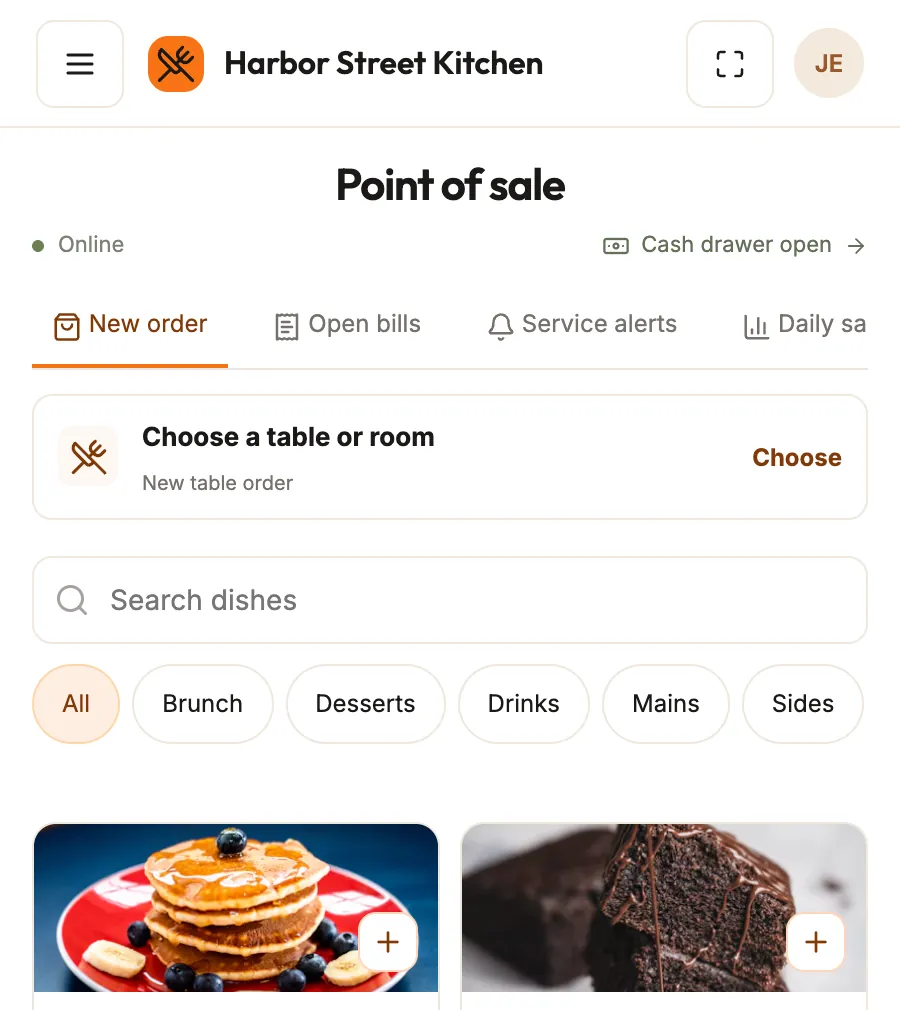
Dishes, prices, photos, categories and options, shared by the counter, the QR menu and the kitchen. Mark a dish sold out once and it disappears everywhere.
Take counter, dine-in and takeaway orders from a searchable dish grid. Open bills, discounts and voids follow each staff member’s role.
Every table or room gets its own QR code. Guests order from their phone, straight onto that table’s bill, with no app to install.
Orders reach the kitchen in seconds, split by station such as kitchen and bar. Print a KOT for any order on the printer you already have.
Bills add up from the menu with your tax settings. Record cash and card-terminal payments, then count the drawer against the expected amount.
Give each person their own login as owner, manager, cashier, server or kitchen. An activity log records changes made in the dashboard.
Paid plans add ingredient stock with reorder levels, detailed reports and guest reviews. Every plan shows the daily close by payment method.
Run up to 10 locations from one account on self-serve plans, each with its own menu, tables, staff and settings.
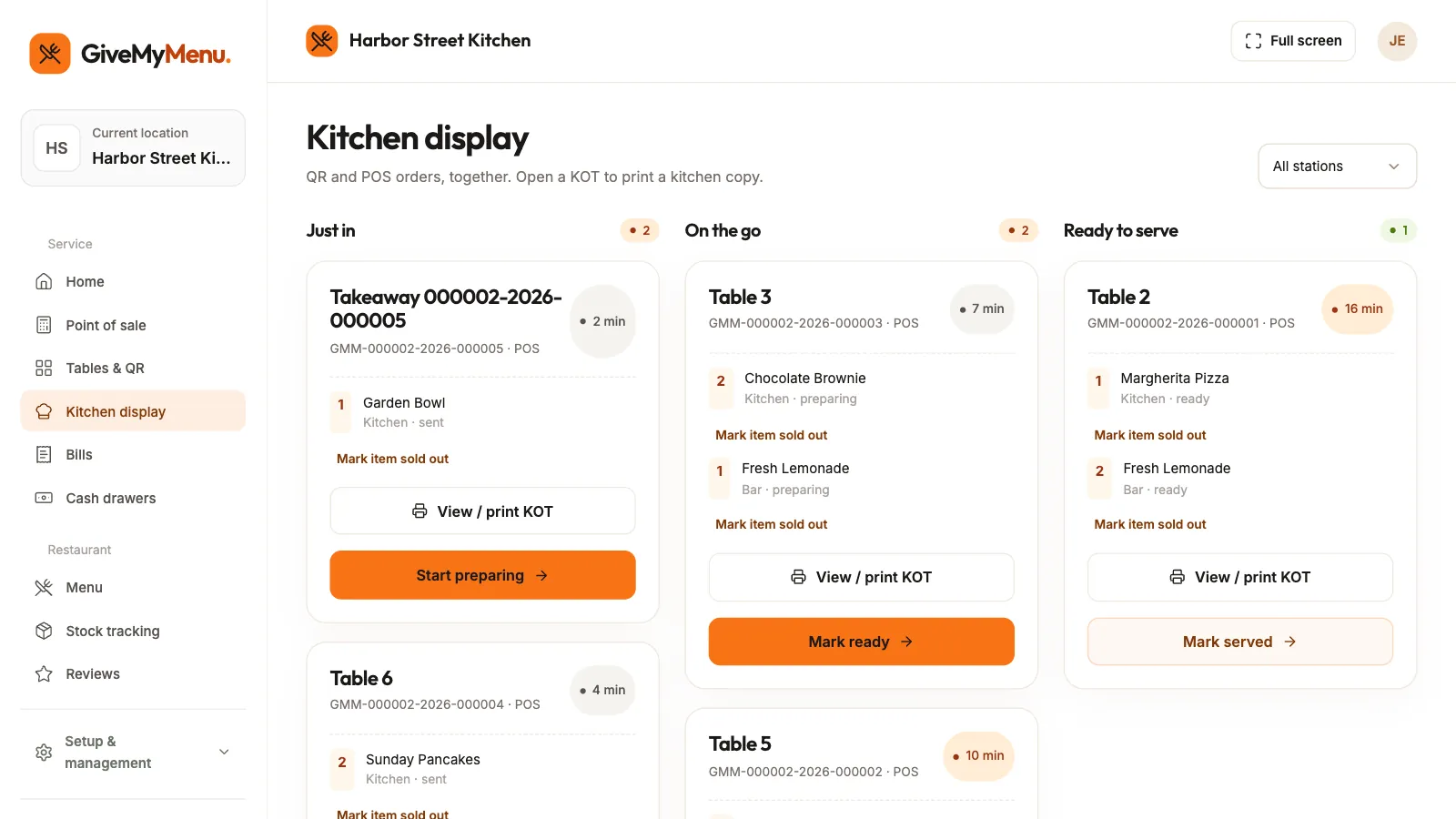
Software that connects the menu, orders, kitchen tickets, bills, staff and stock, so every part of service works from the same order. It replaces separate order pads, billing machines and notebooks.
Yes. The GiveMyMenu Free plan covers one location with the menu, POS, QR ordering, kitchen display, print views, payment recording and staff roles, for up to 10 tables and 2 staff logins, with no card and no expiry.
No. It runs in a web browser on a phone, tablet or computer. Tickets and receipts print through the browser to a printer your device can use.
No. Paid plans are a flat subscription per account, whatever your order volume.
Table and room PINs, ingredient stock, your own branding, detailed reports and guest reviews. New accounts get 90 days of Pro features to try them.
Yes. Self-serve plans cover up to 10 locations in one account, and the Business plan covers more.
Set up a few dishes and follow an order through to the kitchen and the bill. The Free plan needs no card.