Menu in one place
Dishes, prices, photos, categories and options, shared by the counter, the QR menu and the kitchen. Mark a dish sold out once and it disappears everywhere.
GiveMyMenu is a restaurant management system for restaurants, cafes and hotels in Nepal. Your QR menu, point of sale, KOT and kitchen display, NPR bills, cash drawer, staff logins and stock work from one record, so the floor, the kitchen and the cashier see the same order. It runs in the browser on the phones, tablets and laptops you already own. The Free plan covers one location with up to 10 tables and 2 staff logins, with no card and no end date. Paid plans are priced in NPR and paid with eSewa or Khalti.
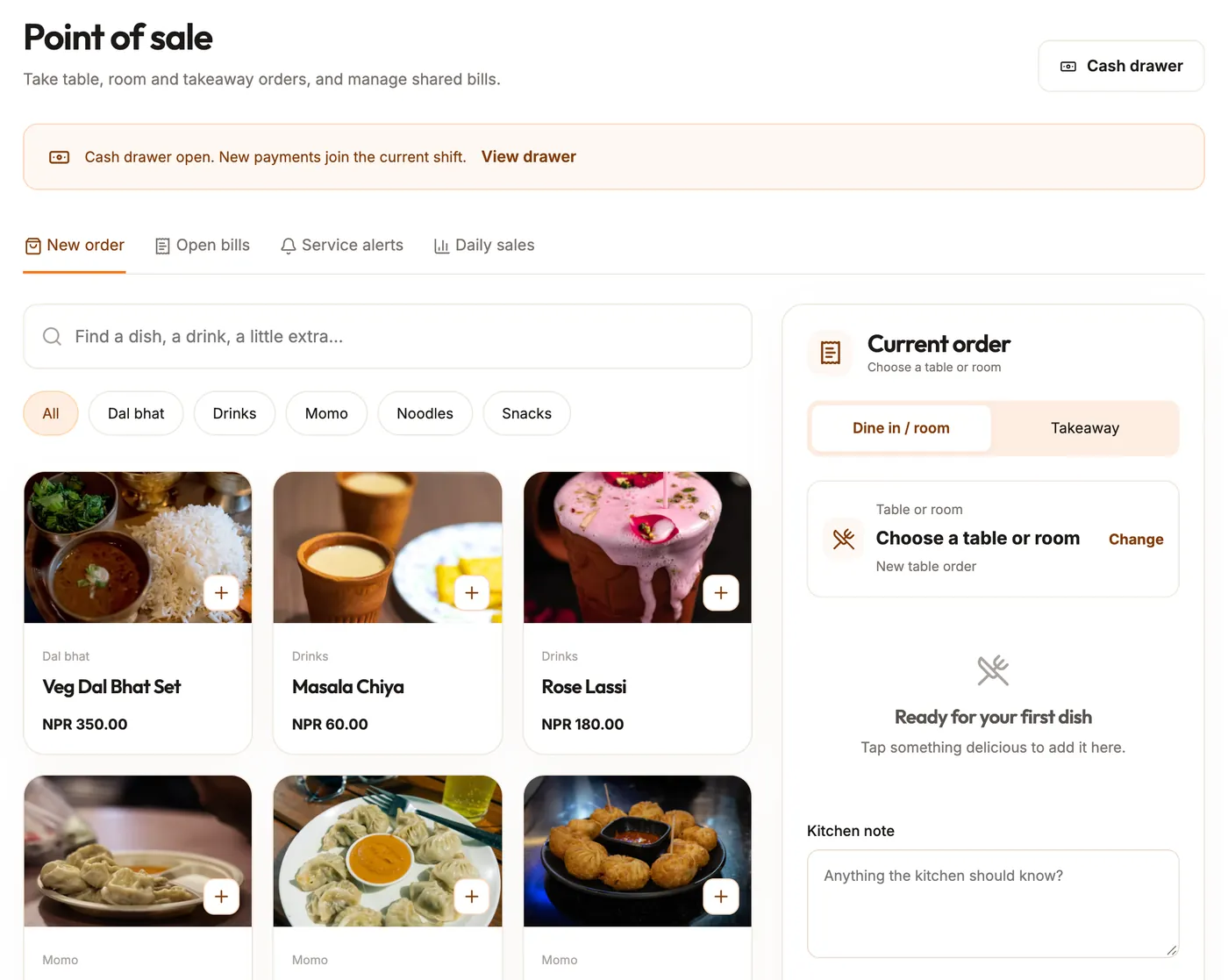
Dishes, prices, photos, categories and options, shared by the counter, the QR menu and the kitchen. Mark a dish sold out once and it disappears everywhere.
Take counter, dine-in and takeaway orders from a searchable dish grid. Open bills, discounts and voids follow each staff member’s role.
Every table or room gets its own QR code. Guests order from their phone, straight onto that table’s bill, with no app to install.
Orders reach the kitchen in seconds, split by station such as kitchen and bar. Print a KOT for any order on the printer you already have.
Bills add up from the menu with your tax settings. Record cash and card-terminal payments, then count the drawer against the expected amount.
Give each person their own login as owner, manager, cashier, server or kitchen. An activity log records changes made in the dashboard.
Paid plans add ingredient stock with reorder levels, detailed reports and guest reviews. Every plan shows the daily close by payment method.
Run up to 10 locations from one account on self-serve plans, each with its own menu, tables, staff and settings.
GiveMyMenu is not IRD-approved billing software and does not report to the Central Billing Monitoring System (CBMS). If your restaurant must issue IRD tax invoices, keep an approved system for those and use GiveMyMenu for orders, KOT, table bills and the daily close. It also needs an internet connection, so plan for power cuts and outages.
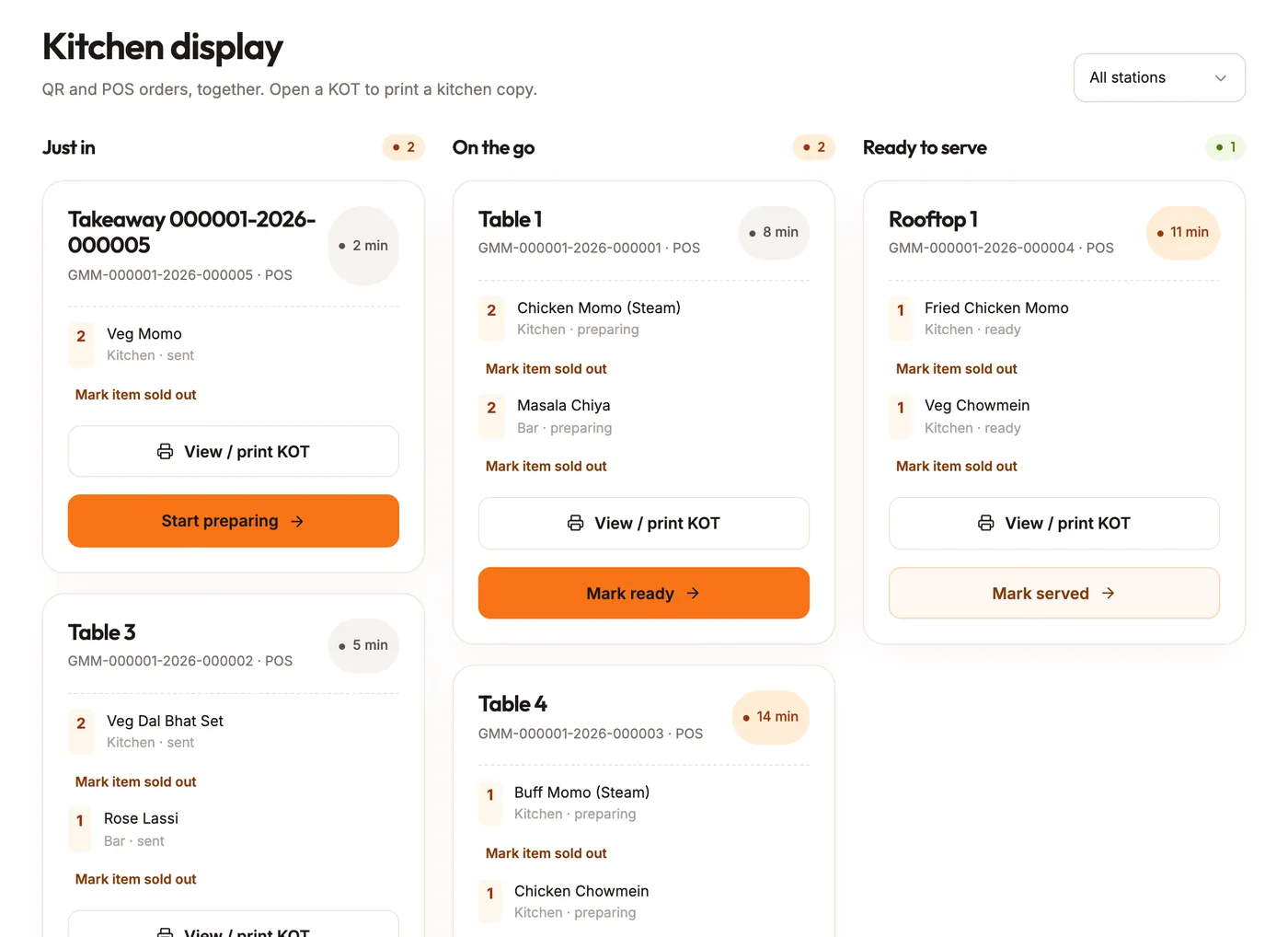
It connects the menu, orders, KOT, bills, staff and stock, so a table order goes from the guest’s phone or the POS to the kitchen and onto the bill without anyone writing it twice.
The Free plan covers one location with the QR menu, POS, kitchen display, KOT and receipt print views, payment recording and staff roles, for up to 10 tables and 2 staff logins, with no card and no expiry.
No. It is not IRD-approved and does not report to CBMS. Restaurants that must issue IRD tax invoices should keep an approved system for those.
It needs a working internet connection and does not take orders offline. Keep the router and counter device on a UPS and keep mobile data as a backup.
No. Guests pay the way they do today, and staff record the payment on the bill. eSewa and Khalti are used only to pay for your GiveMyMenu plan.
Show menu prices with VAT included and do not add a service charge, following the Supreme Court’s January 2023 ruling. New NPR locations start that way. Confirm your setup with your accountant.
Yes. Self-serve plans cover up to 10 locations in one account, each with its own menu, tables and staff.
Set up a few dishes and follow an order through to the kitchen and the bill. The Free plan needs no card.